Budget by paycheck,
not by calendar month.
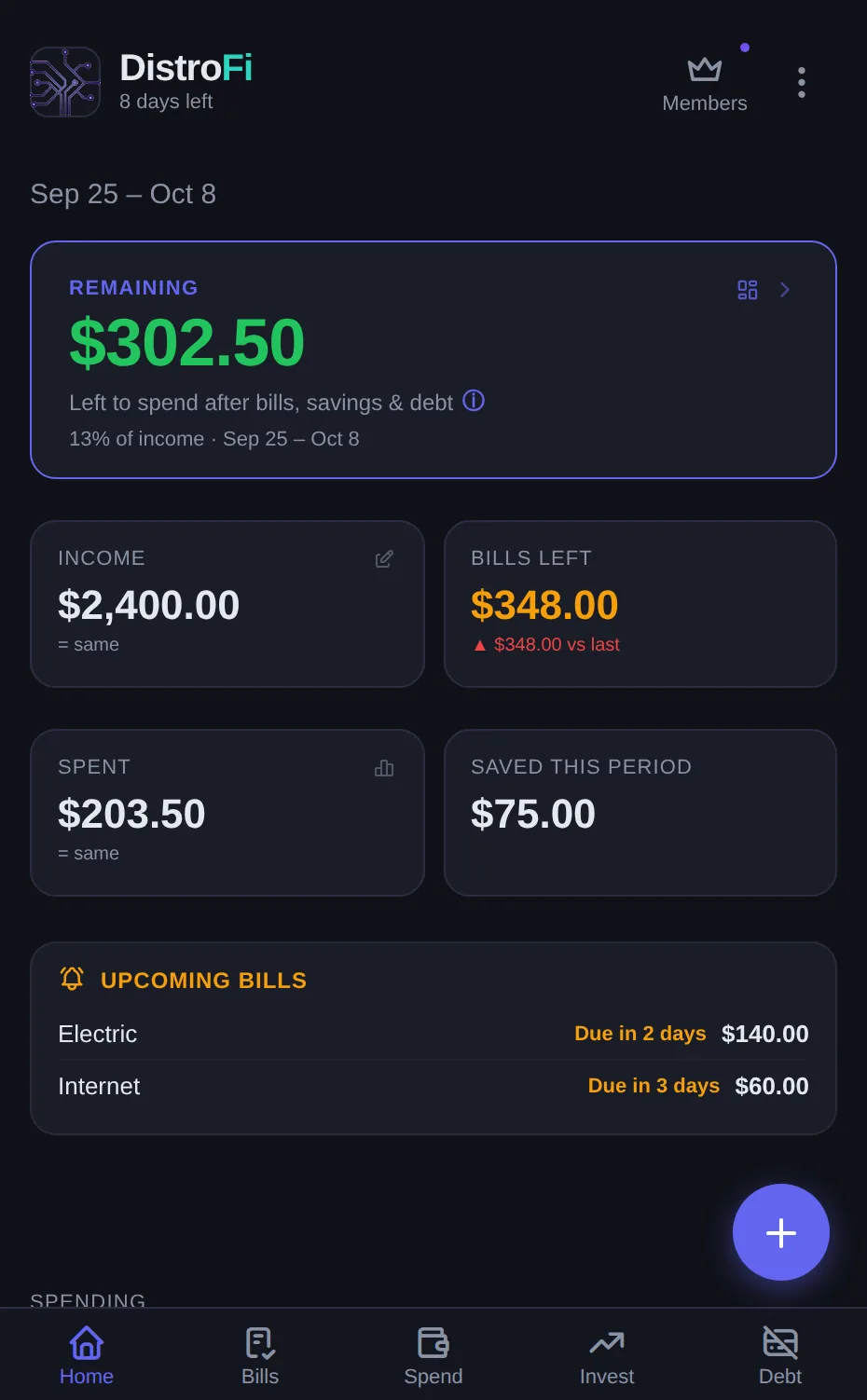
Monthly budgets break when you're paid biweekly. DistroFi starts a fresh plan every payday — bills, savings, debt, and spending come out, and a live Remaining balance shows what's actually left.
No bank linking. No ad networks. Free forever.
Start budgeting freeNo account needed to try. Create a free one later to back up and sync.
How it works
One loop, repeated every payday. That's the whole system.
Payday starts a period
Paid weekly or every two weeks? Each period starts on your actual payday, not the 1st of the month.
Plan the check
Income in; bills, subscriptions, savings, investments, debt payments, and spending buckets out.
Watch Remaining
One live number tells you what's actually safe to spend, with over-budget warnings and a What-If calculator.
Period ends, archives
History keeps every cycle, free forever. When your payday comes around, one tap starts the next period and you decide what happens to any money left over.
Everything your paycheck touches, in one place
Built for people living check to check or digging out of debt — not for spreadsheet hobbyists.
Bills that know your payday
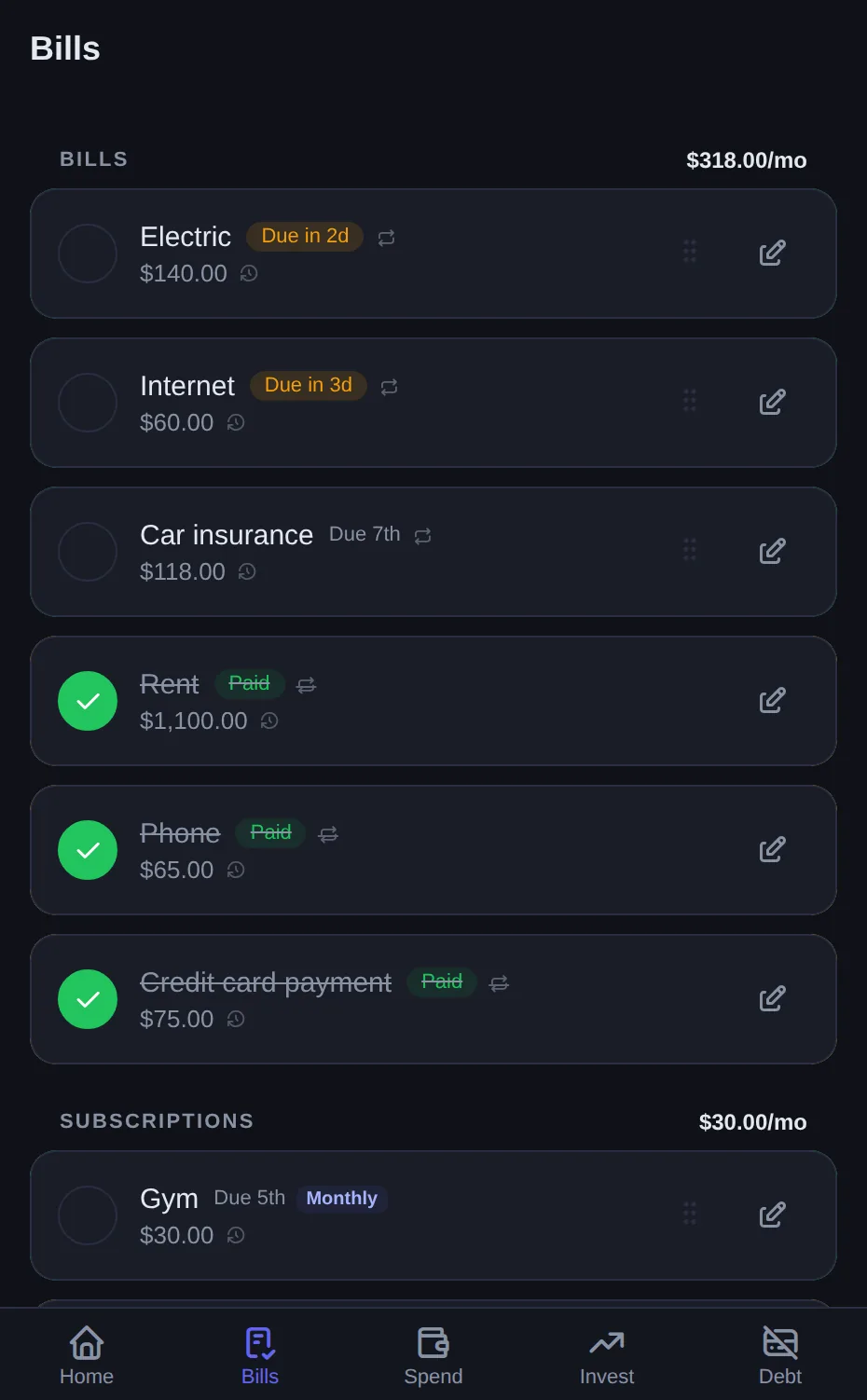
Due-date badges, priority flags, swipe-to-pay, and push reminders 3 days out and day-of. Annual subscriptions are amortized monthly so they never ambush you. Couples can track who paid what.
Spending buckets that reset with your check
Set a budget per bucket per pay period, log expenses in seconds, and search your full transaction history. Unused budget can roll into the next period, envelope-style.
Rollover is a Pro feature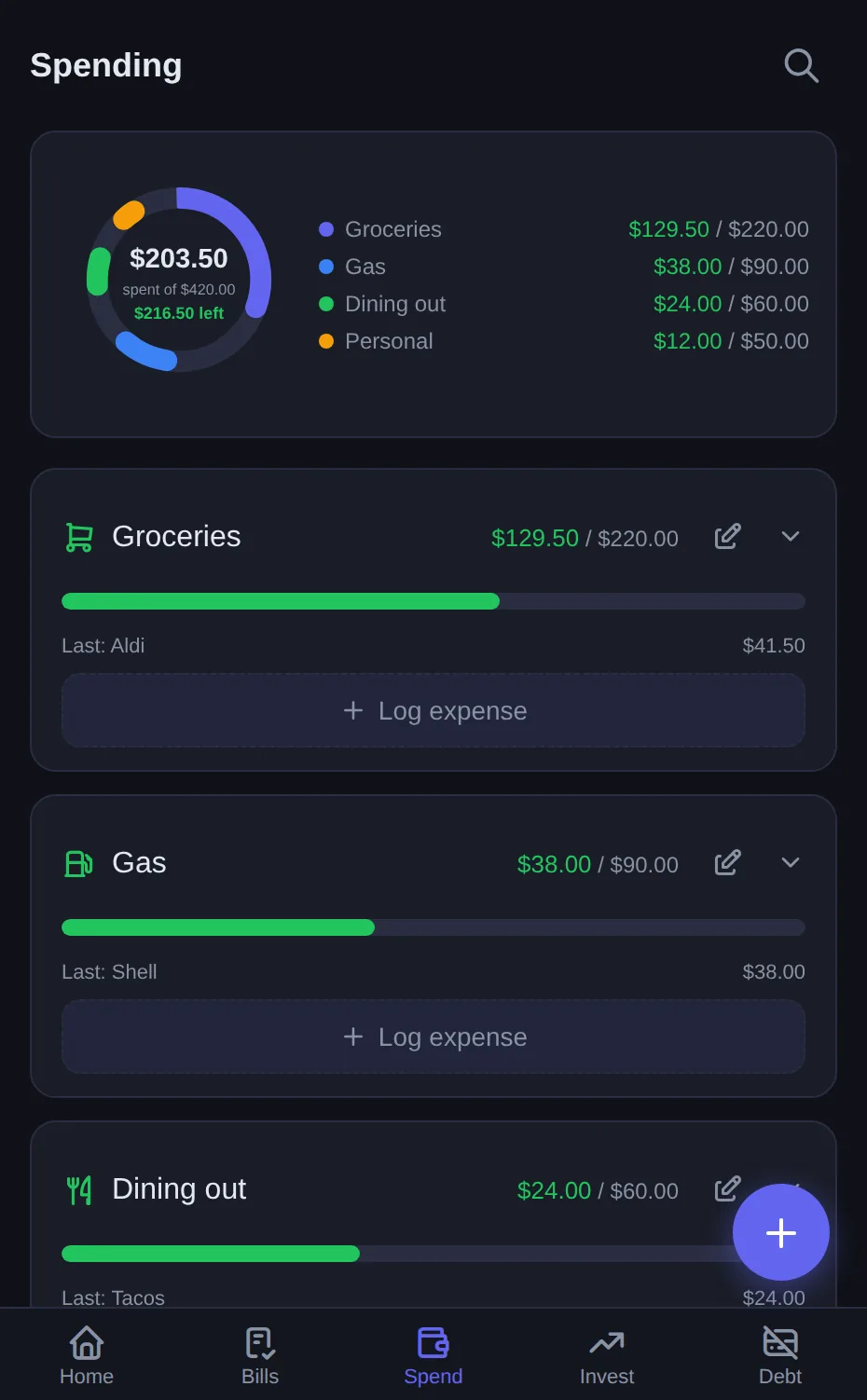
Savings goals that fill like a waterfall
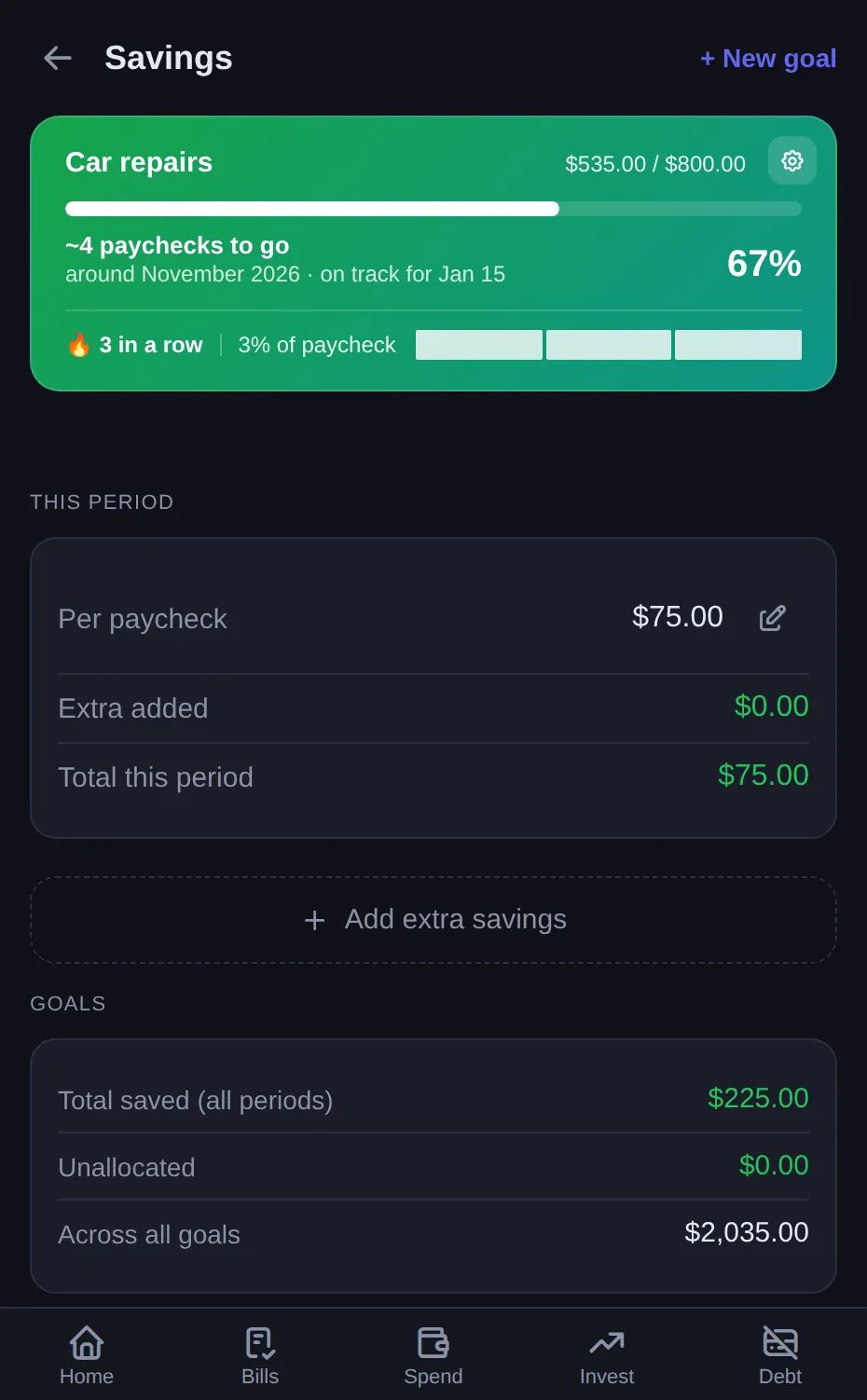
Your savings fill goals top to bottom — the first goal fills completely before the next one starts. Target dates show whether each goal is on track or behind. The built-in emergency fund calculator sizes a 3, 6, or 12 month target from what you actually spend on essentials.
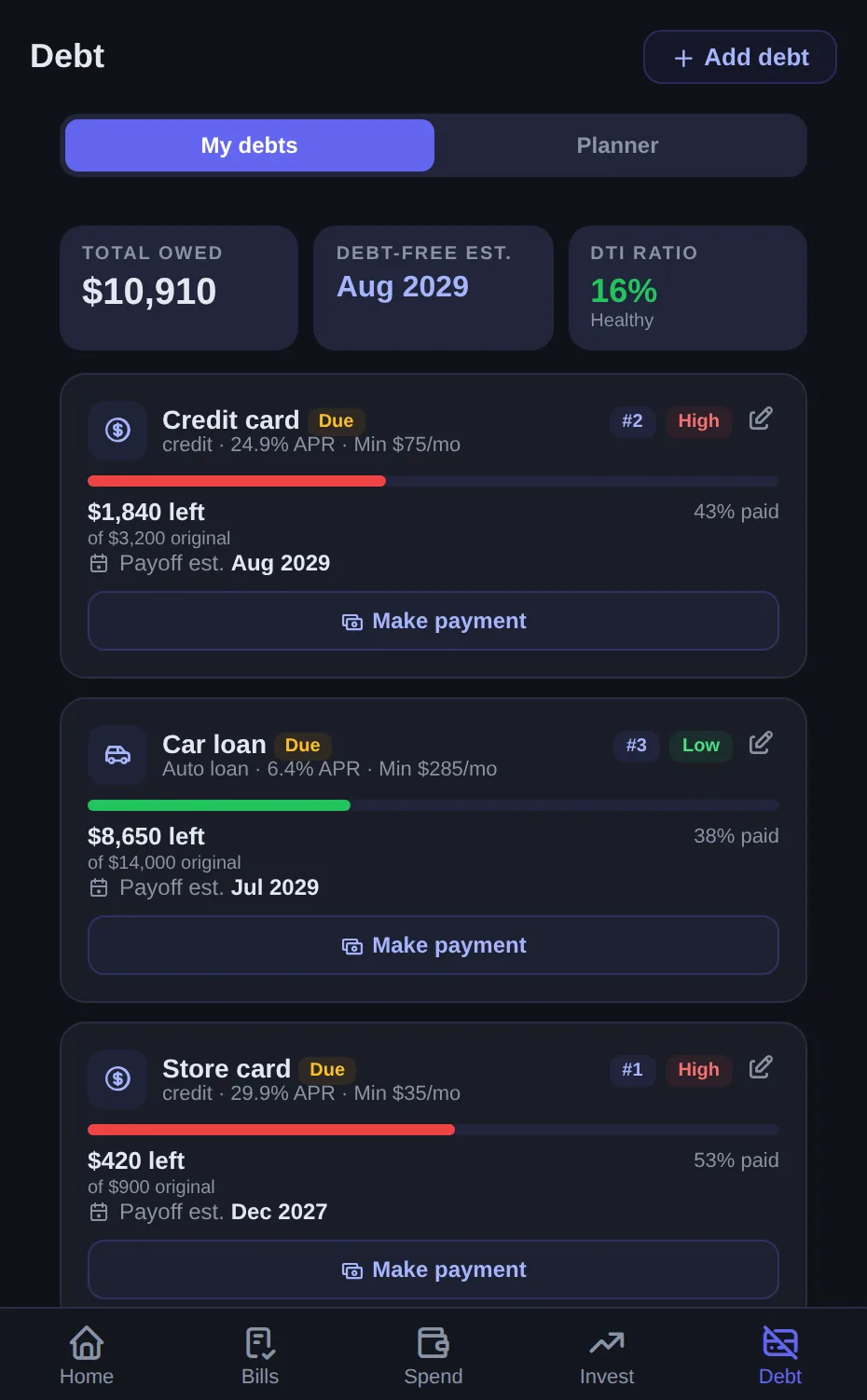
See your way out of debt
Avalanche vs. snowball strategies, an extra-payment slider, and lump-sum what-ifs that show exactly how many months sooner you'd be debt-free and how much interest you'd save. Credit-utilization nudges included.
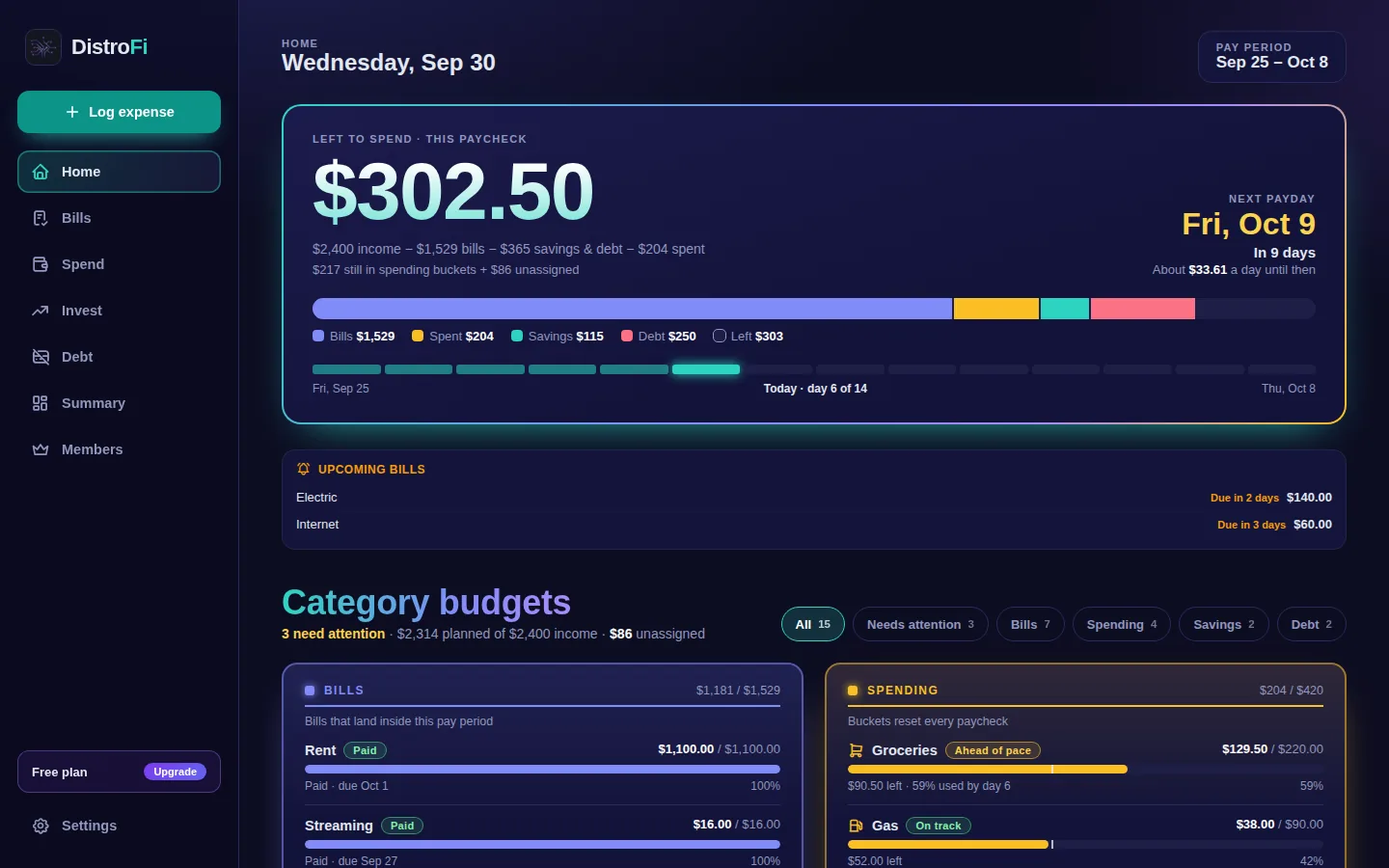
Your budget on your phone and your computer
Open distrofi.org/app on any computer for the full dashboard: what's left to spend, the countdown to your next payday, and every category at a glance. With a free account, a change on one device shows up on the other.
- Desktop dashboardLeft to spend, next payday and all your categories on one screen.
- Phone and computer in syncSign in on both and your budget stays up to date.
- Pay period remindersA heads-up the day before a period ends, and a nudge to start the next one.
- Periods that start on paydayPaid weekly or every two weeks? Your periods line up with your real paydays.
Private by design
Most budget apps want your bank login. We never ask for it.
No bank linking
Manual entry, on purpose. No Plaid, no scraping, no third-party aggregators — we never ask for your bank credentials.
Couples privacy
Share bills and spending with your partner in real time while your income can stay on your device. Merge money, not paychecks.
No ad networks, ever
You are the customer, not the product. No ad trackers, no targeted ads, and we never sell your data. We count visits with privacy-friendly analytics that use no cookies. A few clearly labeled partner offers in the app earn us a referral fee, and Pro subscriptions fund the free tier.
Your data is portable
Export your budget as CSV or print it to PDF anytime. Pro adds a full JSON backup of everything you have tracked. No lock-in.
Honest pricing
Comparable apps run $10–18/month with paywalled basics. DistroFi's core is free with no caps, and paid tiers just add power.
- Unlimited pay-period tracking
- Bills, buckets, savings, debt
- Full history, CSV & PDF export
- Forever. No caps.
- Envelope-style rollover
- AI advisor grounded in your numbers
- Spending trends & insights
- Investment goal tracking
- Full JSON data backup
- Real-time partner sync
- Who-paid-what tracking
- Income-privacy option
- Everything in Pro Solo
Pro plans start with a 7-day free trial. A card is required, and if you cancel before the trial ends you won't be charged. Annual billing saves you two months. Every Pro feature has a free preview, so you can try them all before you subscribe. The AI advisor is educational and not licensed financial advice.
Install in 20 seconds — no app store
DistroFi is a progressive web app. It installs straight from your browser and works on anything.
iPhone / iPad (Safari)
- Open distrofi.org/app in Safari
- Tap the Share button
- Tap Add to Home Screen
Android (Chrome)
- Open distrofi.org/app in Chrome
- Tap the ⋮ menu
- Tap Install app
Desktop
- Open distrofi.org/app
- Click the install icon in the address bar
- Or just use it in the browser
Questions people actually ask
Why doesn't DistroFi link to my bank?
On purpose. Manual entry means we never ask for your bank credentials — no Plaid, no screen-scraping. It also keeps you aware of every dollar, which is half of what makes budgeting work.
Is it really free?
Yes. Core tracking is free forever with no quantity caps — not a stripped-down trial. Pro adds rollover and the AI advisor; Couples adds partner sync.
How is DistroFi different from YNAB?
YNAB is a budget built around the calendar month, with optional bank import, from $14.99 a month. DistroFi is a manual budget built around your paycheck, with a free core app and Pro at $2.99 a month. See the full comparison.
I'm paid semi-monthly / weekly. Does that work?
Yes: weekly, every two weeks, twice a month and monthly. If you're paid weekly or every two weeks, each period starts on your actual payday. Twice-a-month periods run the 1st to the 15th and the 16th to month end, and monthly periods follow the calendar month.
What happens when my pay period ends?
It archives to history, you decide what to do with any leftover money (save it, roll it, or leave it), and one tap starts the next period.
Is the AI advisor financial advice?
No — it's educational, grounded in your own numbers. It is not licensed financial advice.
Your next paycheck deserves a plan.
Set up your first pay period in under five minutes.
Start budgeting freeNo account needed to try.